
The memory your coding agent is missing.
Contextful helps your coding agent use what your team has already learned, so you don’t have to explain it again.
What to expect
What to have ready30 minutes
On a call with us.
Your first repository, connected
Read-only, on GitHub or GitLab.
Your first results
From your repository’s own history.

What Contextful adds to your agent
Shorten session lifetime to 12 hours.
A session must never outlive the key that signs it.
Learned from 9c2e4a1 fix(auth): expire sessions before the signing key rotates
Set the 12-hour lifetime in auth/session.ts and update the rotation check in infra/certs/rotate.ts.
Per 9c2e4a1 fix(auth): expire sessions before the signing key rotates
You ask
Give your agent a task, in your own words.
Contextful remembers
The one rule this task needs, and the fix it came from.
Your agent plans
The plan keeps the rule and names the commit behind it.
Models remember knowledge.Contextful learns know-how.And that know-how is yours.
- Your history
- Learns know-how
- Your agent gets what matters
How Contextful works
Contextful learns how your team works from your repositories’ history, then tells Claude Code, Codex or Cursor what matters for each task, and where it learned it.
Your codebase
Reviews, reverts and incidents: the work your team already did.
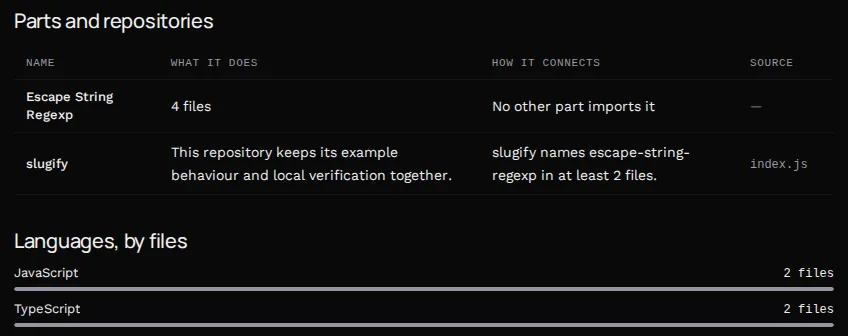
Contextful learns the know-how
Why each fix happened, and where it applies. Nothing to write.
The smallest relevant context
Only what bears on this change. Nothing else.
Refactor the token refresh in auth/session.ts
Contextful · Context
auth/session.ts → certificate rotation
Your agent
Claude Code, Codex or Cursor.
What you install, what you share
More in our privacy policy.
- Installs
Example Refactor the token refresh in auth/session.ts
contextful · Context
Rule · Why · Source · Scope
The review of the March incident
In your agent
Contextful’s tools and skills, plus hooks that see your prompts so it can add context. Your agent keeps your own AI account.
- Reads
Your repositories
Read-only access on GitHub or GitLab. It learns only from the repositories you add: their history is why your code is the way it is.

Your Hub
Your organization’s own isolated environment, in Contextful’s cloud. Only committed history is uploaded, and you can delete a repository at any time.
What a result looks like
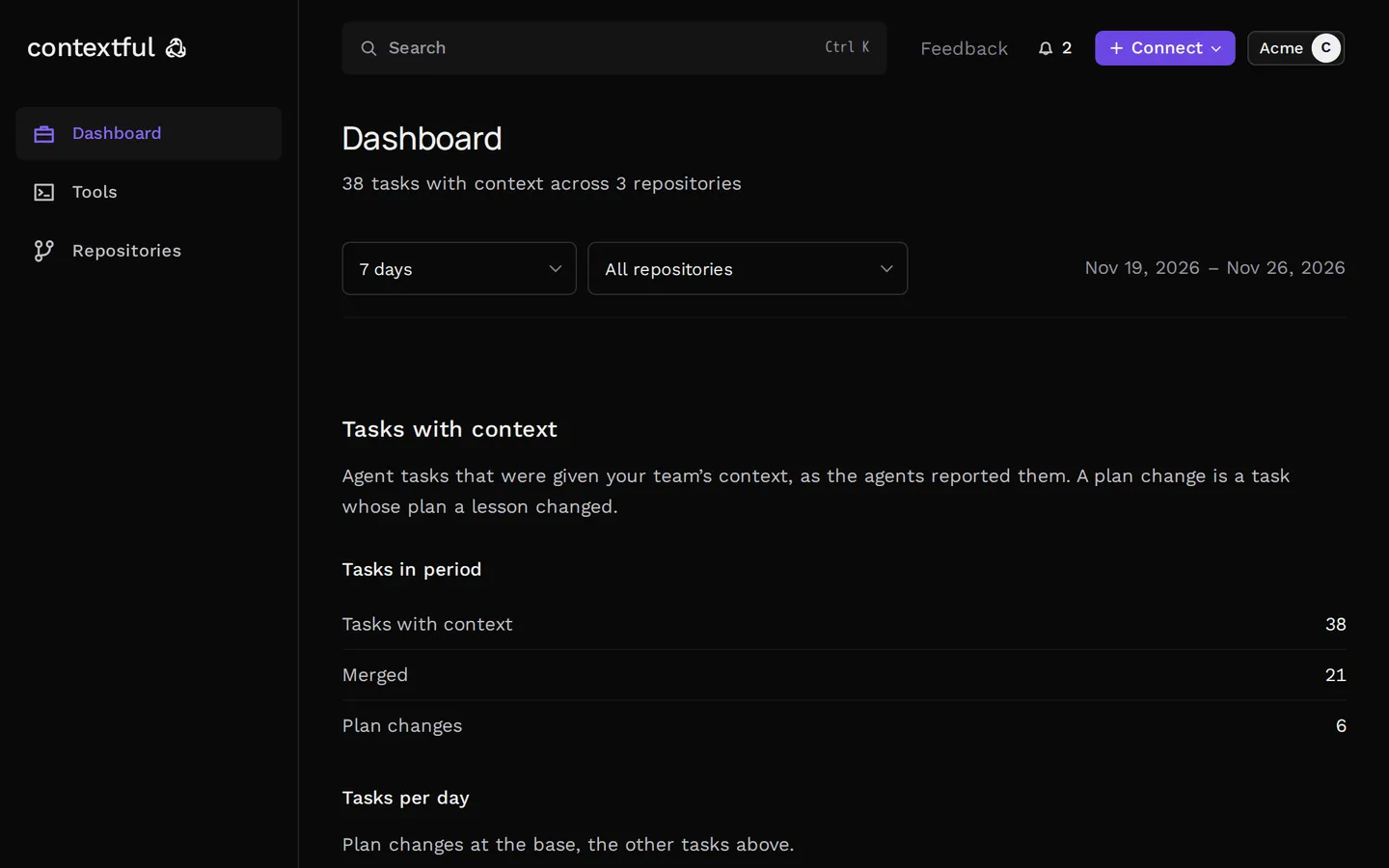
The week at a glance
Tasks your agents ran with your team’s context, how many merged, and how many plans a lesson changed.
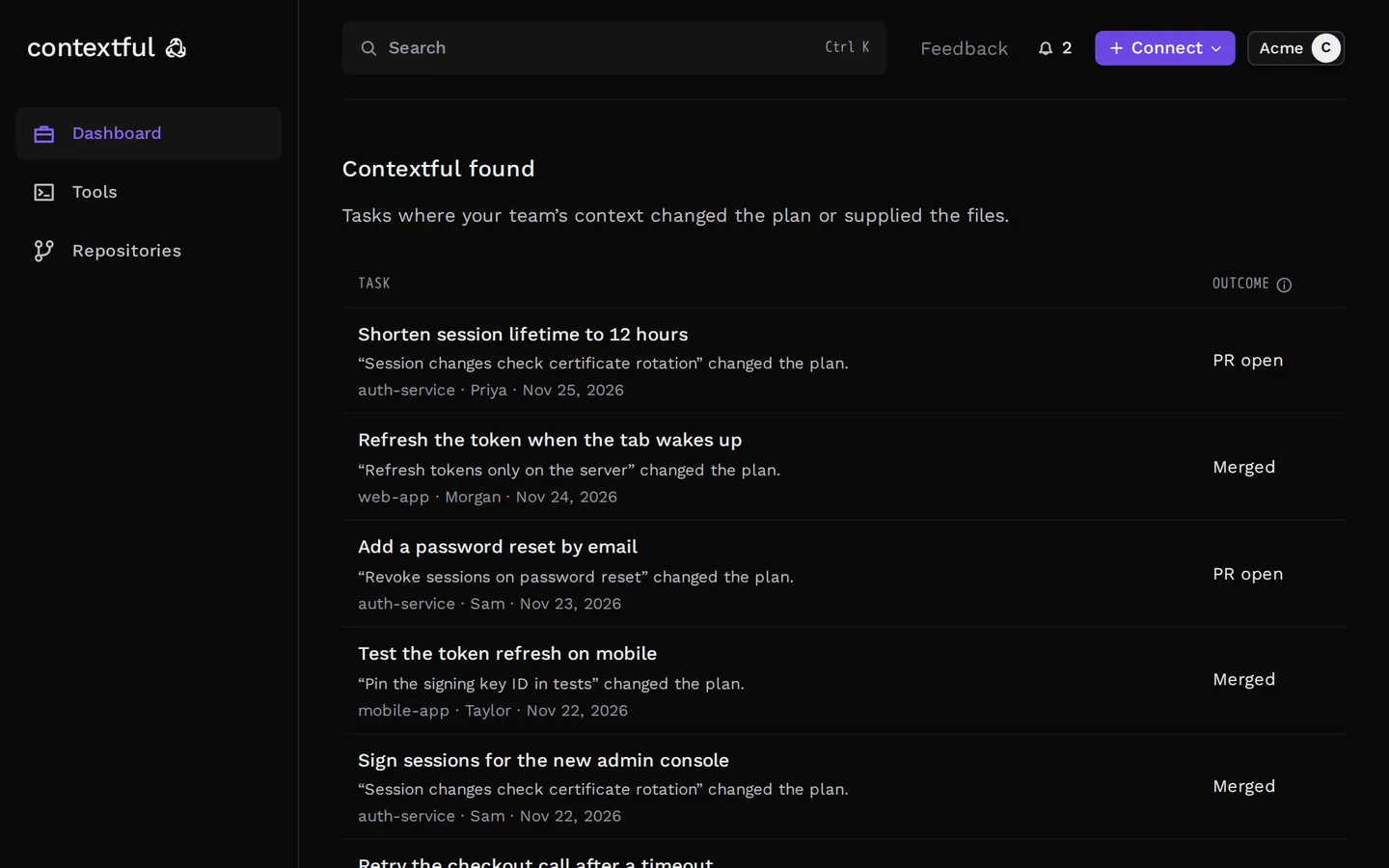
The plans it changed
Open a task to see what your agent was going to do, what it did instead, and the lesson behind it.


Security and data use
The short answers. The details are in our privacy policy.
- What it reads
- Read-only access on GitHub or GitLab. It learns only from the repositories you add.
- What it uploads
- The committed history of each repository you add, after asking you. Uncommitted work and other files stay on your computer. If an upload stops, run the command again and it resumes.
- Your prompts
- To find what matters, the hooks send each prompt to your Hub with secrets and local paths hidden. At install, it asks whether to share your new agent activity with your organization. You can turn that off later.
- Training
- Your code isn’t used to train general-purpose AI models. What Contextful learns from it stays in your Hub, for your organization.
- Who can access it
- People in your organization’s Hub, by their role. Each Hub has its own database. Contextful staff only when needed to run and support the service.
- What you can delete
- Owners and admins can delete a repository, and what was learned from it, at any time.
contextful-mcp uninstallremoves Contextful from your agent. For backups or your account, write to privacy@contextful.com.
Questions before your session
It creates your organization’s Hub: the private place where what Contextful learns is kept, and where you decide who can use it.
In the session
About 30 minutes, on a call with us. Connect your first repository and see your first results.

Have ready
- Your agent, installed and signed inClaude Code, Codex or Cursor.
- A repository you can shareOne you can give read access to on GitHub or GitLab.
- The email you were invited withIf you sign in with GitHub, use the account with that email.
- Your agent, up to dateClaude Code 2.1.281 or later, or Codex 0.157.0 or later.